

Business automation is the use of software, digital tools, and increasingly AI, to run a repeat business task without a person doing it by hand every time.
For a small business, it means your leads, invoices, and follow-up messages get handled automatically, the same way, every time.
If you already know the basics, our guide to workflow automation for small business covers how to map, build, and decide whether to DIY it or hire someone.
Core Concepts
- Time back: automation takes over the busywork so you spend your week on customers and revenue, not repetitive typing.
- Fewer mistakes: a workflow does the same steps every time, so nothing gets forgotten when you are rushed.
- Room to grow: you can take on more customers without adding more repetitive work to your own week.
Common Types of Business Automation
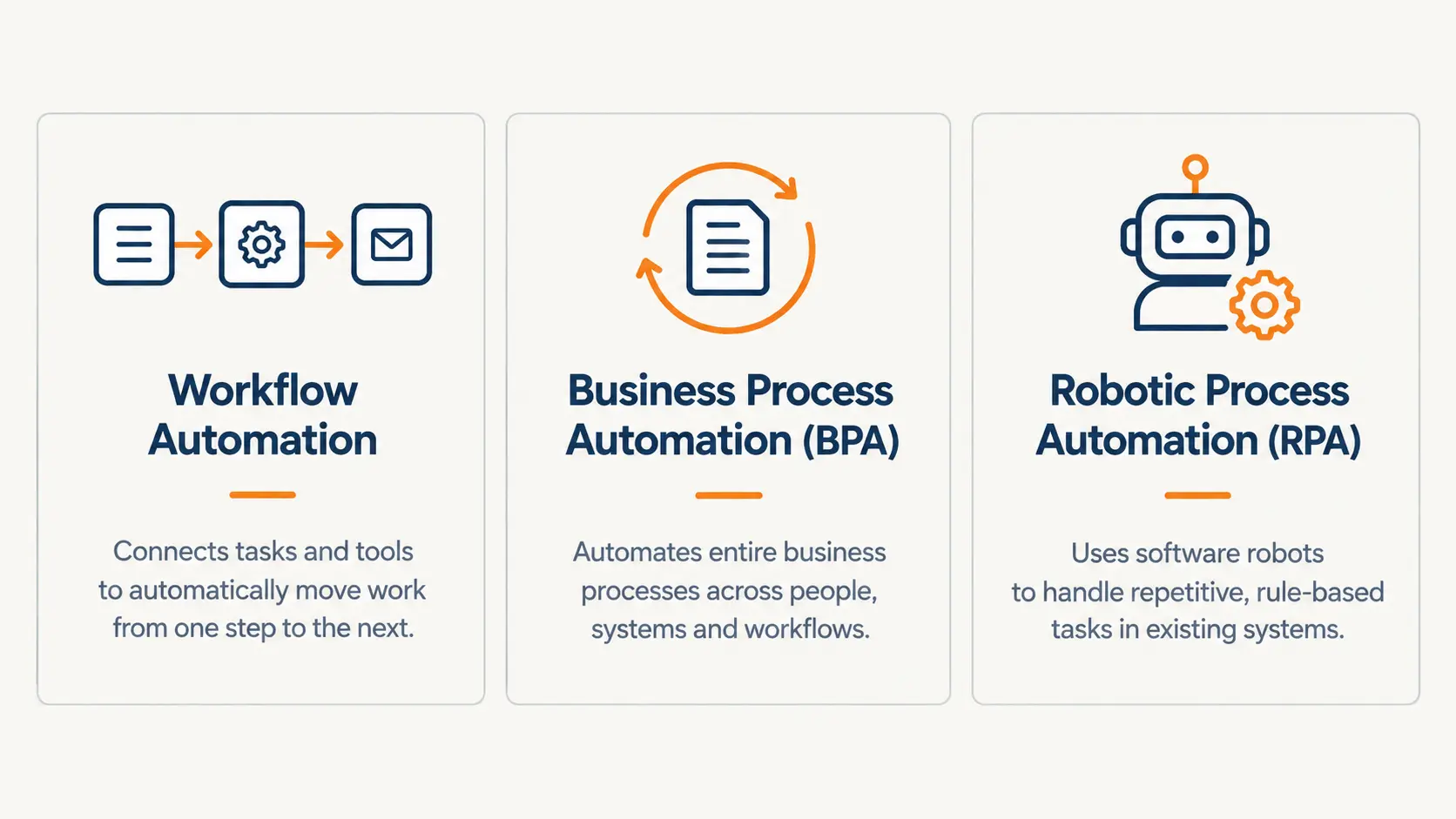
- Workflow Automation: connects your everyday tools, forms, email, your CRM, so information moves between them without you touching it. What most small businesses actually mean by automation.
- Business Process Automation (BPA): automates a full process end to end, not just one connection between two tools.
- Robotic Process Automation (RPA): software bots that click and type inside a program with no other way to connect. Rare for a small business, common in large companies stuck with old software.
Where It’s Used
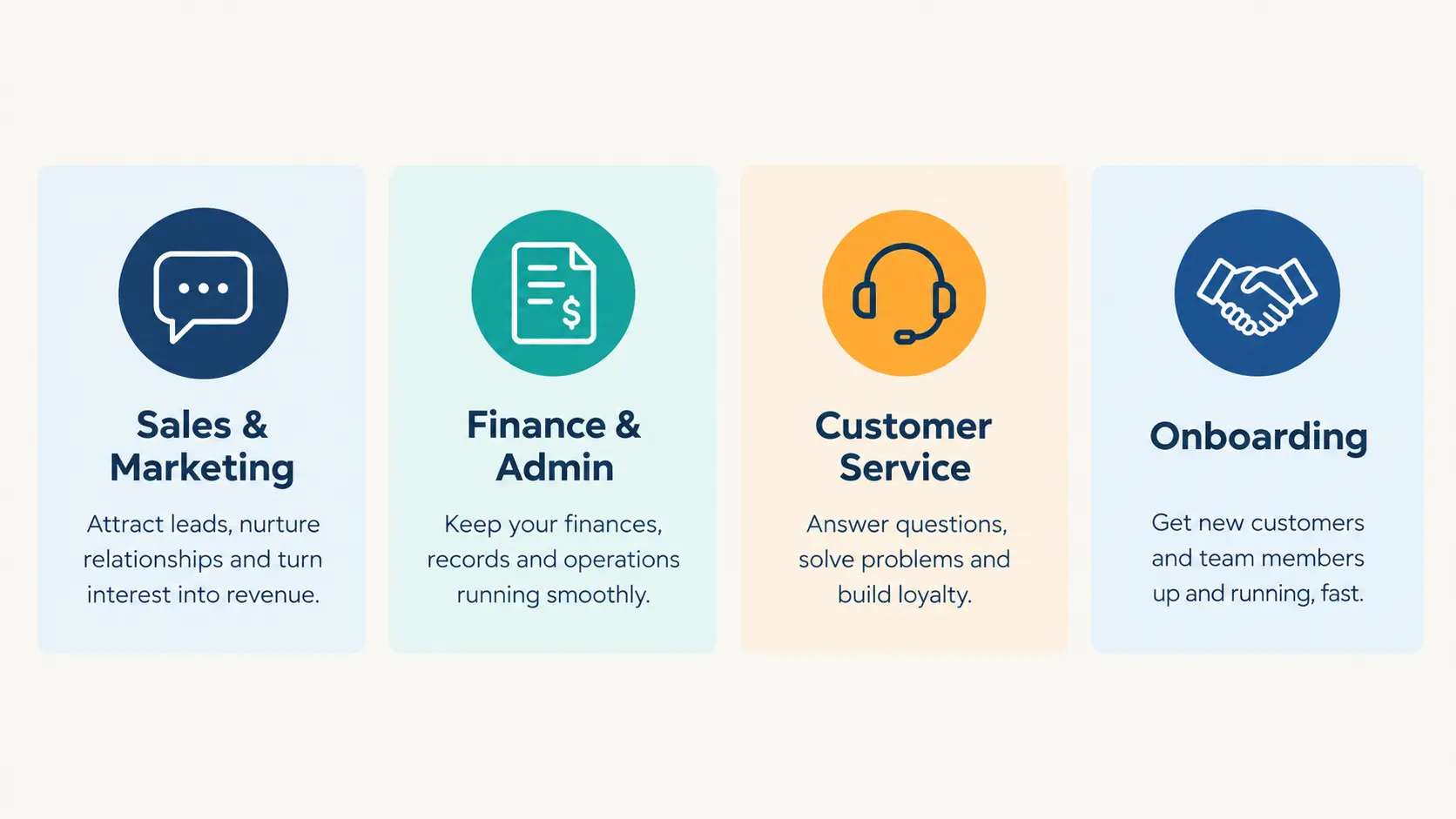
- Sales and Marketing: following up new leads, sending quotes, scheduling posts.
- Finance and Admin: sending invoices, chasing late payments, logging expenses.
- Customer Service: answering repeat questions, routing requests to the right person.
- Onboarding: welcoming new clients, sending contracts, setting up their first job.
You have probably heard automation thrown around by software vendors, on LinkedIn, or from a friend who swears it saved their business. What you have not found yet is a straight answer written for a business your size, backed by something real instead of a stock photo of a robot arm.
Here is what surprised us building the real automation used as proof later in this guide. A process has far more small details than you would expect, and automation can fail in more places than you would guess. That is exactly why the plan has to be concrete before you touch a single tool, and it is the whole point of this guide.
What this guide covers
- How business automation differs from process automation, and why that distinction matters less than you think
- Where it makes the biggest difference in a small business, and how to spot the task worth automating first
- A real example, screenshots included, with the part that did not work
- Whether this is really just for big companies
- Whether it replaces your team
- What it actually costs
- How to know if you are ready
Business Automation vs. Process Automation: The Difference That Actually Matters
These two terms get used like they mean the same thing, and most of the time, the difference doesn’t matter to you. Here’s the one distinction that actually changes what you buy.
What Is Business Automation?
Business automation is the umbrella term. It covers any software or AI running a repeat task in your business, from a simple workflow that connects a form to your CRM, to a full end-to-end process, to a bot clicking through an old program that has no other way in.
What Is Process Automation?
Process automation, usually called business process automation (BPA), sits one layer under that umbrella. It automates a full process end to end, like a lead moving from “just submitted a form” to “booked a call” with zero manual steps in between, rather than just connecting two tools together. Workflow automation and BPA both work the same way under the hood. BPA is really just workflow automation stitched across more steps.
The Distinction That Actually Matters
The real dividing line isn’t the label. It’s whether the tool you need can connect to your other software through an API, or whether it’s closed off entirely. If your tools can talk to each other, workflow automation and BPA both work. RPA is a different animal, and it only earns its place when a system you rely on has no way to connect to anything else at all.
Pega, which builds automation software for large companies, describes exactly this case in its own documentation: a legacy system with no API, where the only way in is a robot clicking and typing on screen the same way a person would. A small bookkeeping firm stuck entering invoices into an old accounting program with no API is the realistic version of this. Most small businesses never hit that wall, because the tools they already use, forms, email, a CRM, Slack, already talk to each other out of the box.
Once you know which category you’re dealing with, the next question is where in your business it actually pays off.
Where Business Automation Makes the Biggest Difference
Repeat admin work quietly eats a large share of the working week, and most owners never add it up until they see the number. Sage found that UK micro-businesses lose around 24 days a year to repetitive admin tasks like bookkeeping, invoicing, and scheduling. That’s close to a month of working days spent on something a computer could already be doing.
How to Know If a Task Is Worth Automating
A task is worth automating if it meets any of these three signs: you do it the exact same way every time, it takes longer than it should, or small mistakes creep in whenever you’re rushed. If it fails all three, leave it alone for now, automating a task that barely bothers you isn’t where your time goes.
A quick gut check: could you explain the task to a new employee in one sentence? If you can’t, the process needs fixing before any tool can help. Automating a confusing process just makes the confusion happen faster.
Real Examples of Business Automation
Here are two real builds, including the part that did not work.
We built a purchase and expense approval workflow as a demo. Someone submits an expense through a form, and the system decides what happens next. Anything under a set amount gets approved automatically. Anything above it gets sent to the business owner with approve and reject buttons built right into the message. Once a decision is made, the person who submitted the expense gets an automatic email, and the decision gets logged in a running sheet.
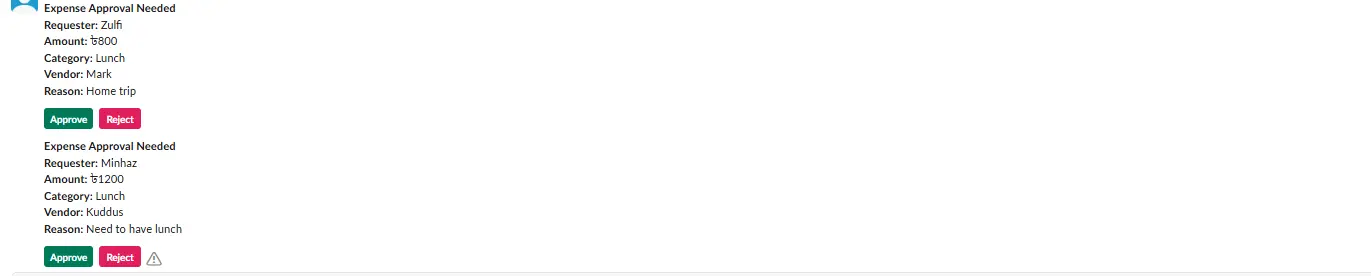
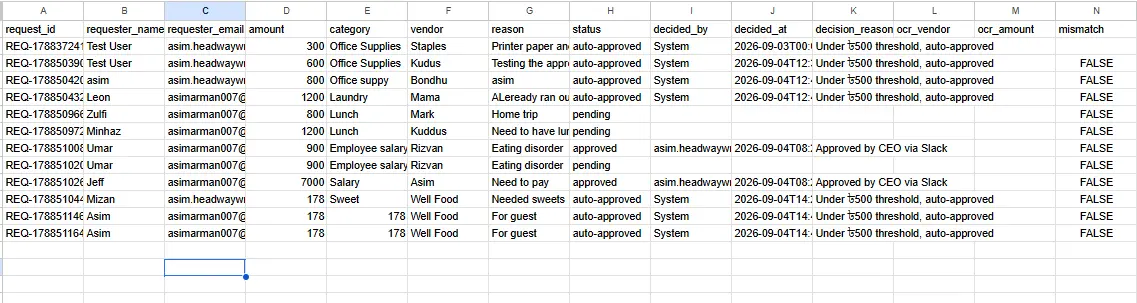
We originally planned a step where the system would scan the receipt image and check it against the amount entered. That step never made it into the final build, because a required setting on the image-scanning service was not turned on, and the check kept failing because of it. The workflow works exactly as described above. It does not read or verify receipts yet. If you need that specific feature, it is a real, solvable problem, just one this particular build did not get to.
A second build handles new-client onboarding: a welcome email, a contract, and the first job file get created the moment someone signs up, instead of a person doing all three by hand for every new client. This is the same Onboarding category from the list above, built out as a real workflow instead of left as a bullet point.
Business Automation for Small Businesses, Not Just Enterprise
Search this exact topic and every major result is written for an IT department at a large company. One page cites a case study where a client saved 120 million dollars. Another talks about citizen developers and an automation center of excellence. None of that applies to a five to ten person business, and none of those guides say so.
If you run a small business, automation looks completely different for you. You are not deploying a platform across departments. You are fixing the one task that eats your Tuesday afternoon, using a tool that costs less than your phone bill.
Will Automation Replace My Team?
This is the real fear behind the search, and almost nobody answers it directly. Automation takes over the repeat, predictable part of a task. It does not replace judgment, relationships, or the parts of your business that need an actual conversation.
McKinsey studied this at scale across hundreds of occupations and found that only about 5 percent of occupations could be fully automated with current technology. About 30 percent of the activities inside 60 percent of occupations could be automated, meaning most jobs get lighter, not gone. A missed-call text-back does not replace your receptionist. It makes sure no lead goes cold while your receptionist is busy with someone else.
The businesses that get the most out of automation are the ones that keep a person in charge of decisions and hand the system only the repetitive legwork underneath it.
What Does It Actually Cost?
Cost depends on the tool and how many workflows you run. Zapier and Make charge per task or operation, so cost climbs as you automate more of your business. A self-hosted tool like n8n charges a flat server fee instead, which stays the same no matter how many times your workflows run. Hiring someone to build it for you is a project fee instead of a monthly bill, with maintenance already covered.
A full cost breakdown, DIY pricing measured against hiring someone, gets its own dedicated guide. This section exists so the question does not go unanswered here.
Is Your Business Ready to Automate?
You are ready the moment you can name one task you do the exact same way every week, that takes longer than it should, or that keeps producing small mistakes. That one task is where you start, not a full department overhaul. The full step-by-step for mapping and building that first automation gets its own guide, so this one stays focused on answering what automation actually is.
Frequently Asked Questions
What is business automation, in one sentence?
Software or AI running a repeat task in your business automatically, the same way, every time, without a person doing it by hand.
What is the difference between workflow automation and RPA?
Workflow automation connects apps that already have a way to talk to each other, like a form, an email tool, and a CRM. RPA is for the opposite case, a program with no API, where a bot has to click and type on the screen because there is no other way in.
Is business automation the same as AI?
No. Business automation is the broader idea of software running a repeat task. AI is one ingredient you can add on top, so the automation can also make a small decision instead of just moving data from one place to another.
What business processes should be automated first?
The one you do the exact same way every time, that takes longer than it should, or where mistakes creep in when you are rushed. Start with one task, get it working well, then move to the next.
Pingback: Workflow Automation for Small Business: What to Automate